
Free
For when you work on your own
₪0
No card needed
1
team member
15
online bookings
No WhatsApp reminders: customers see their booking on the page, and get an email if they typed one
Anni takes your bookings day and night, confirms them and reminds on WhatsApp, so your time goes to your work.
Free plan: one person taking online bookings, up to 15 bookings a month. No card.
9:30 am Rana
Blow dry
11:00 am Maya
Haircut
12:30 pm Noor
Colour
4:00 pm Hiba
Nails
10:00 am Sara
Nails
12:00 pm Dana
Haircut
2:00 pm Lina
Haircut
3:30 pm Yasmin
Blow dry
9:00 am Tala
Colour
11:30 am Rawan
Nails
2:30 pm Leen
Haircut
4:00 pm Mira
Blow dry
New booking
Lina booked a haircut for tomorrow at 2:00 pm.
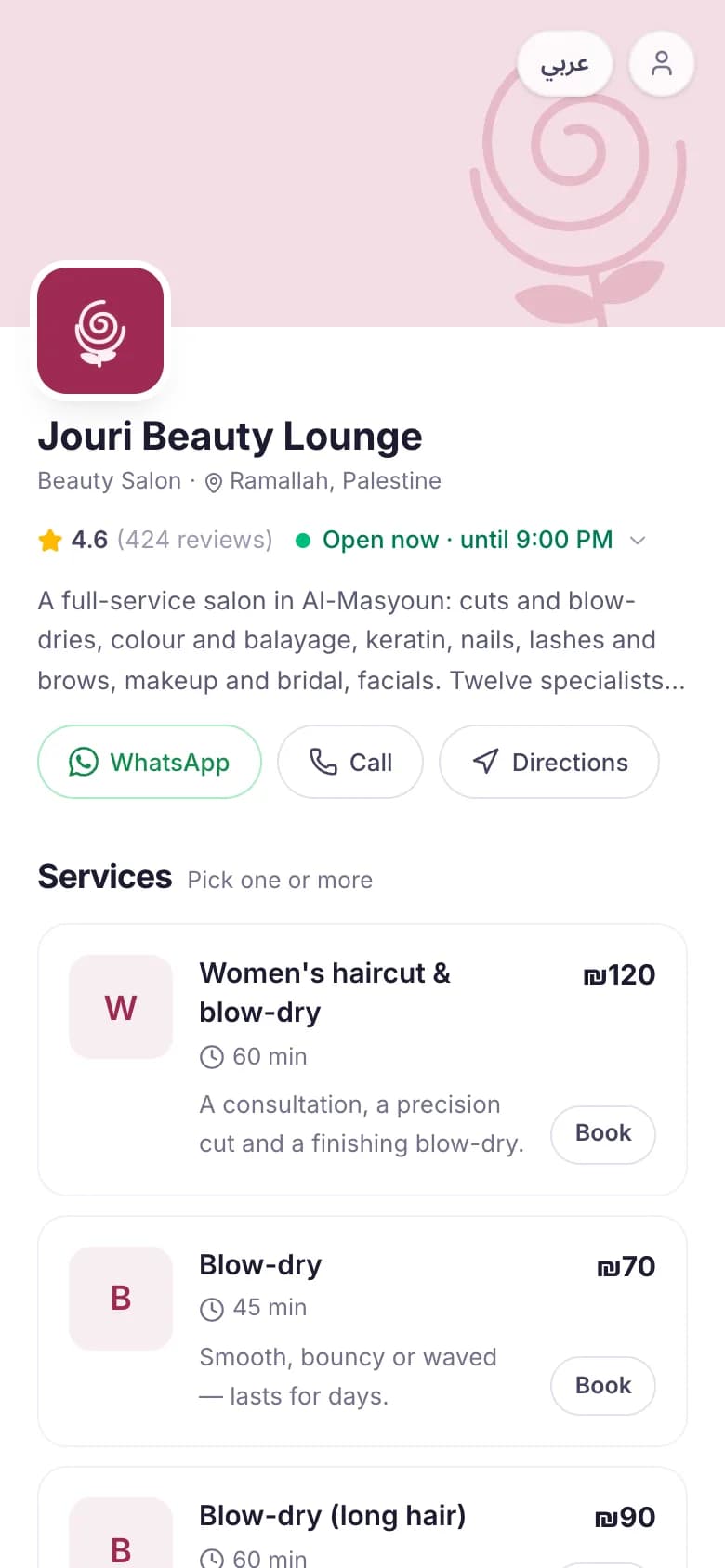
Customers see your services, prices and free times, and book in a minute from their phone. No app and no password: they confirm with a code on WhatsApp.
Your link goes where your customers are
Your Instagram bio and stories, your WhatsApp Business auto reply, or a QR code at the front desk.
The moment a booking is made, your customer gets a confirmation, then a reminder the day before and an hour before. They come from Anni’s official WhatsApp number with your business’s name, in Arabic or English.
Right away
A confirmation with the service, the person, the time and your business’s name.
The day before
A reminder with the same details.
An hour before
A last reminder, so they leave on time.
If the time changes
A message with the new time.
On the paid plans. On the free plan, the same messages go by email.
How WhatsApp messages workAnni
You’re booked! ✅
Hey Lina! 🎉 Your appointment is confirmed and we can’t wait to see you.
Tap below anytime to view your booking details.
Salons, barbers, clinics, spas, trainers, tutors, studios and more. If your customers book a time with you, Anni fits.
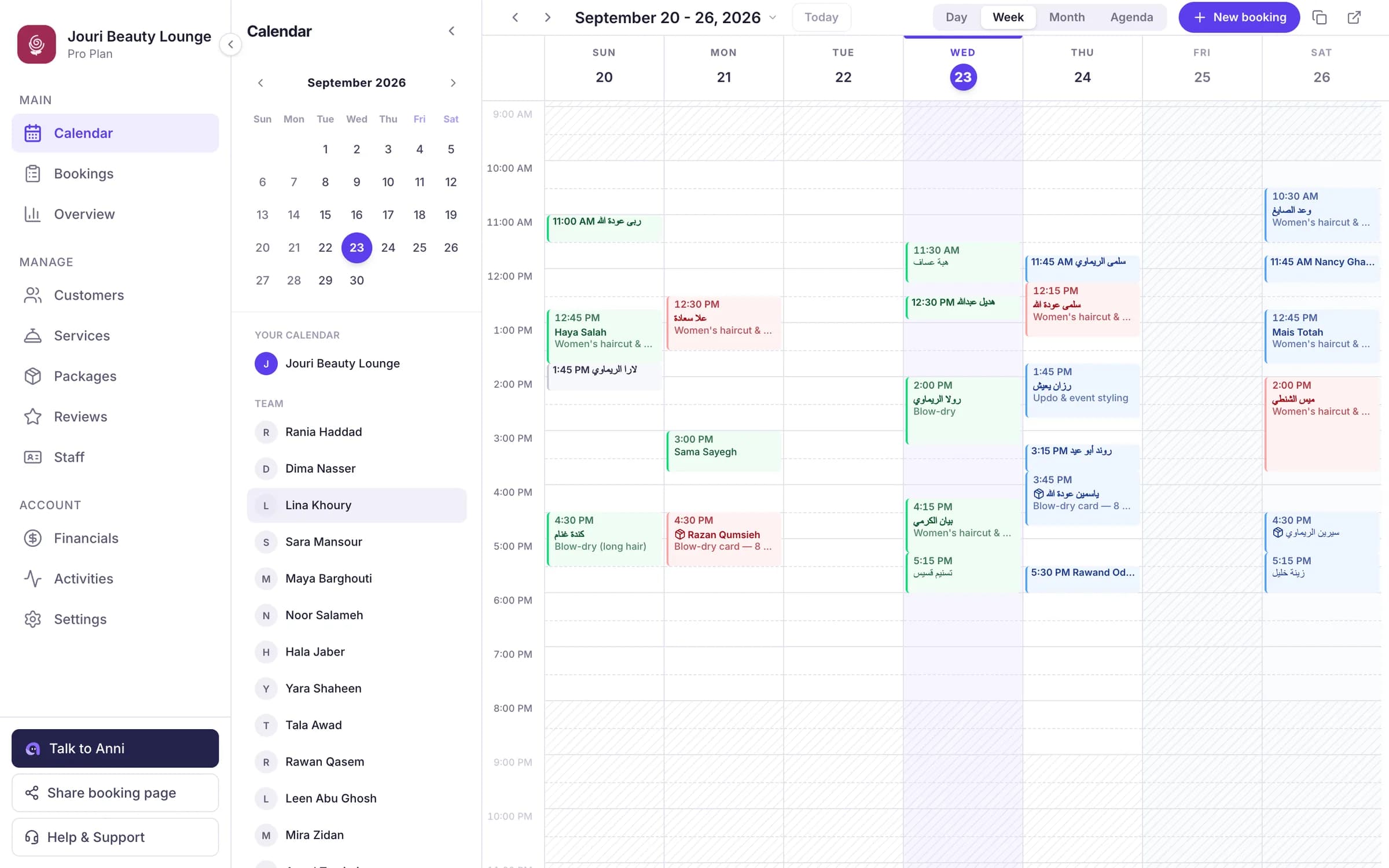
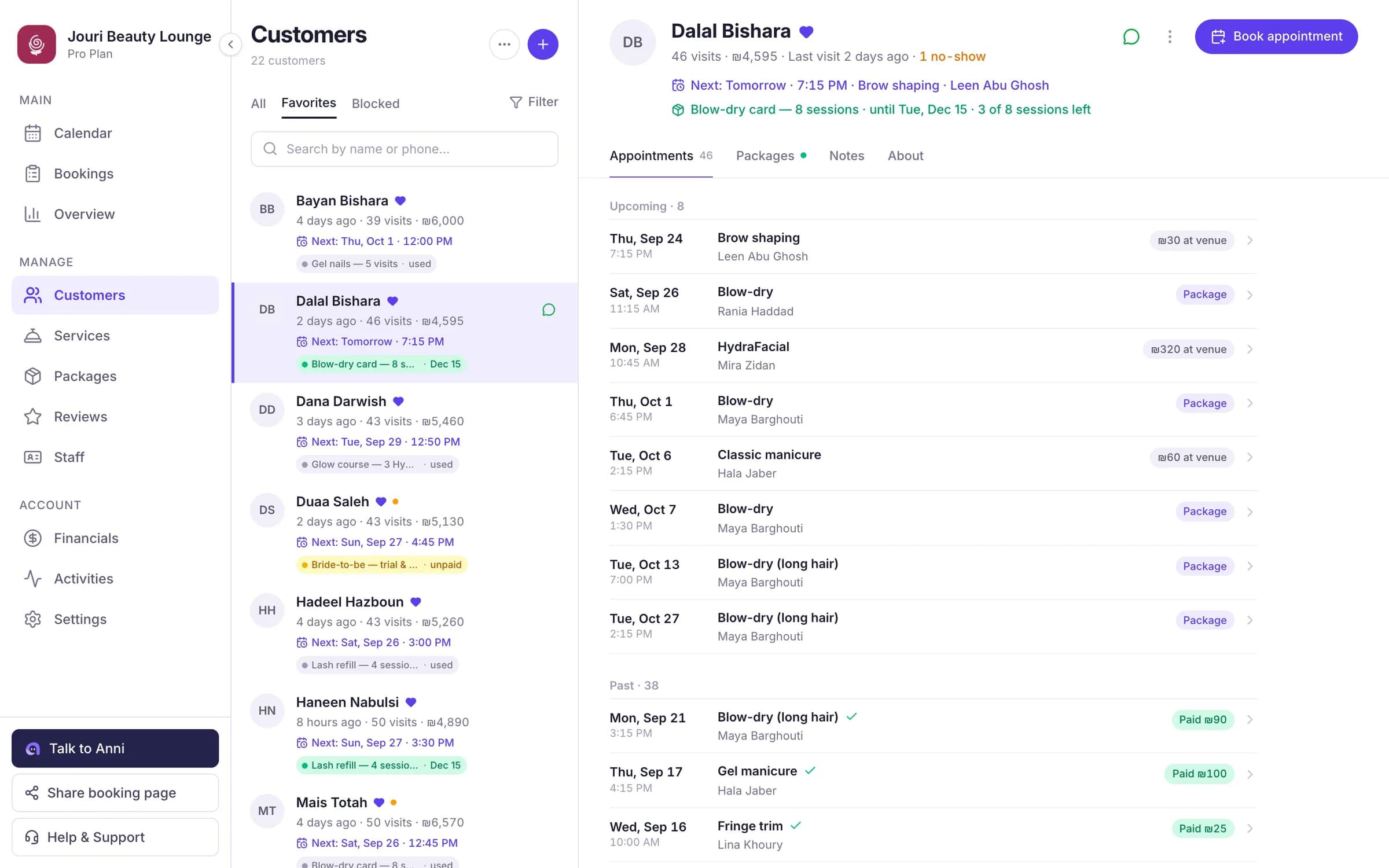
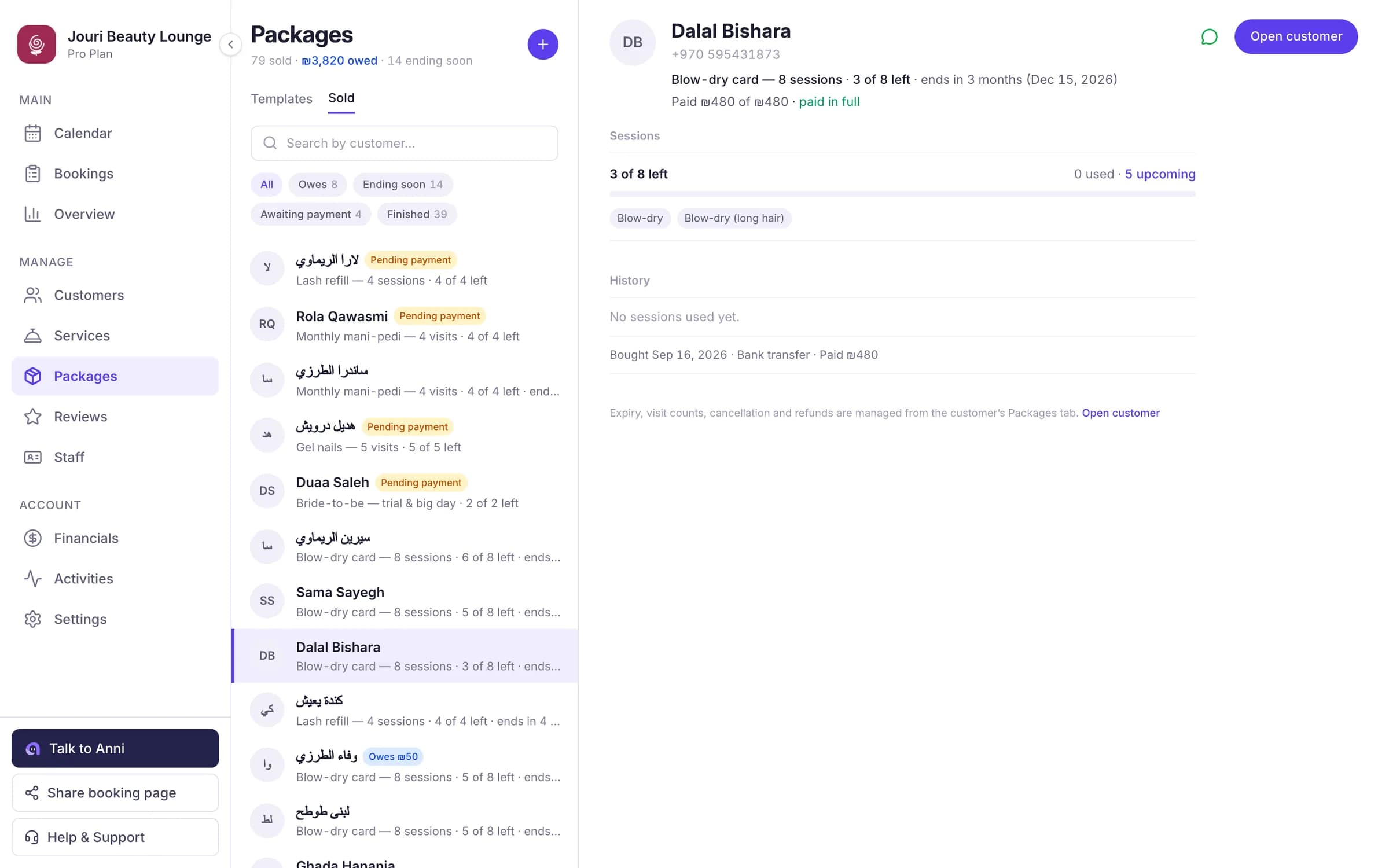
This is Jouri Beauty Lounge, a demo salon with 12 staff and 340 customers. Its data is generated for the demo, and none of these are real people. Jouri is big, but Anni works the same way for a barber with one chair.
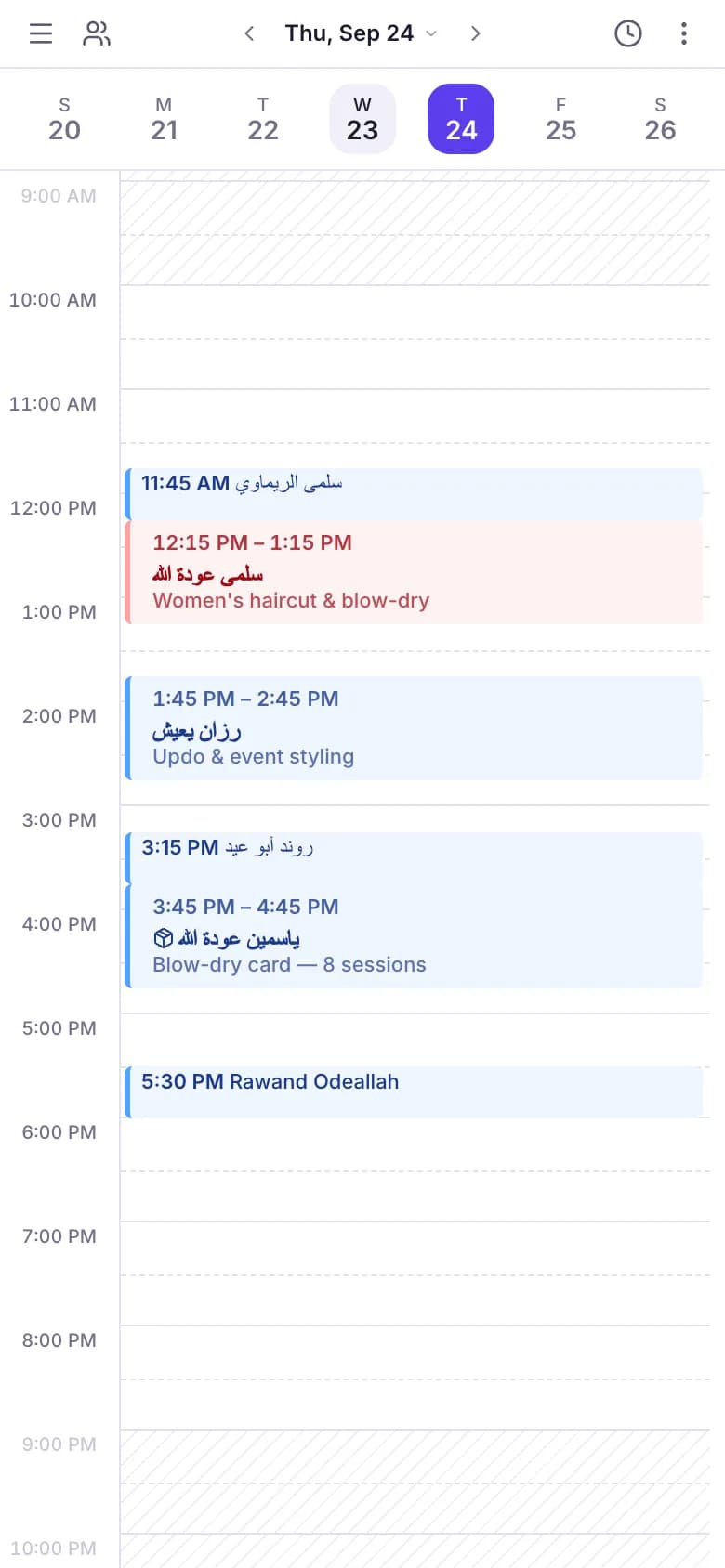
Each person’s day and week: who is free, who is busy, and the requests waiting for you.
Demo data
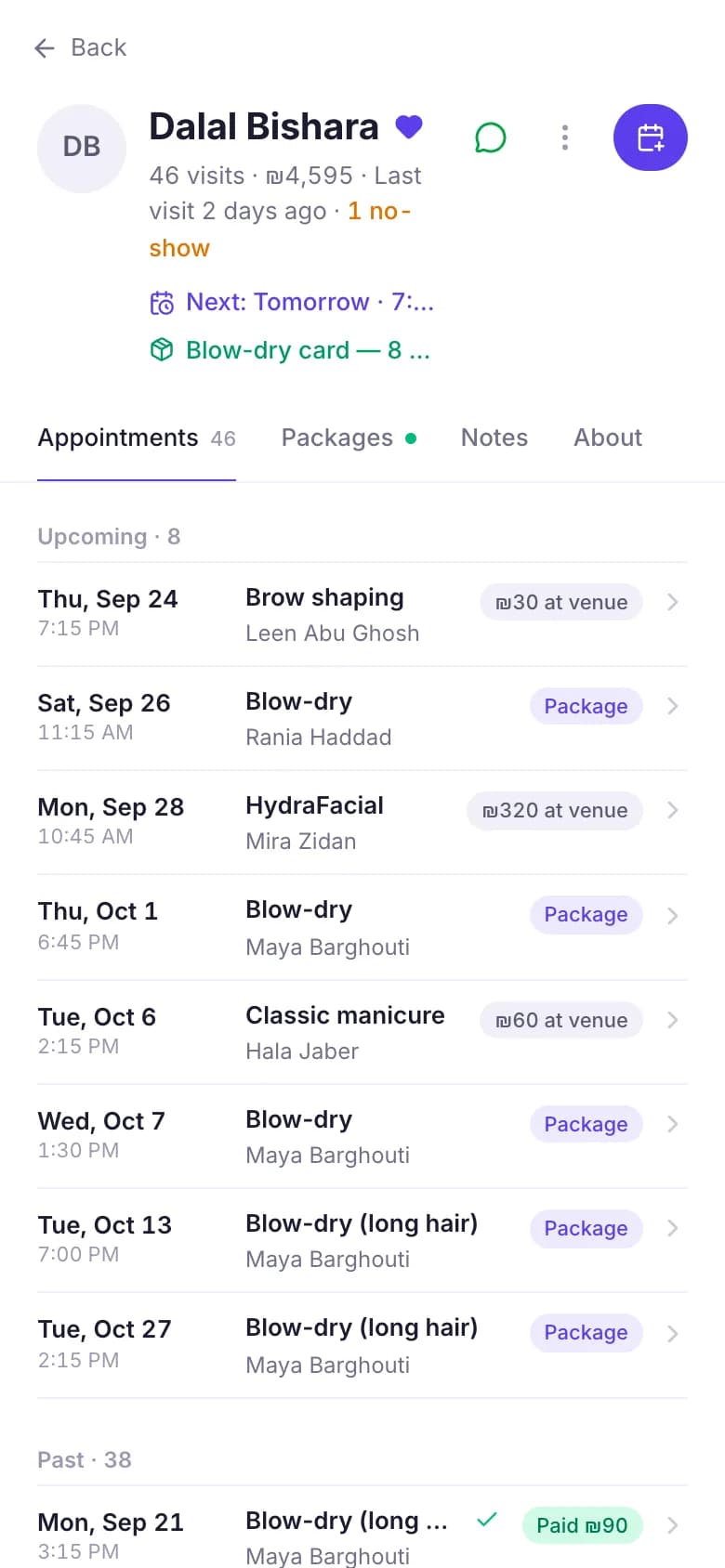
A profile for every customer: visits, what they paid, notes, and who hasn’t been back in a while.
Demo data
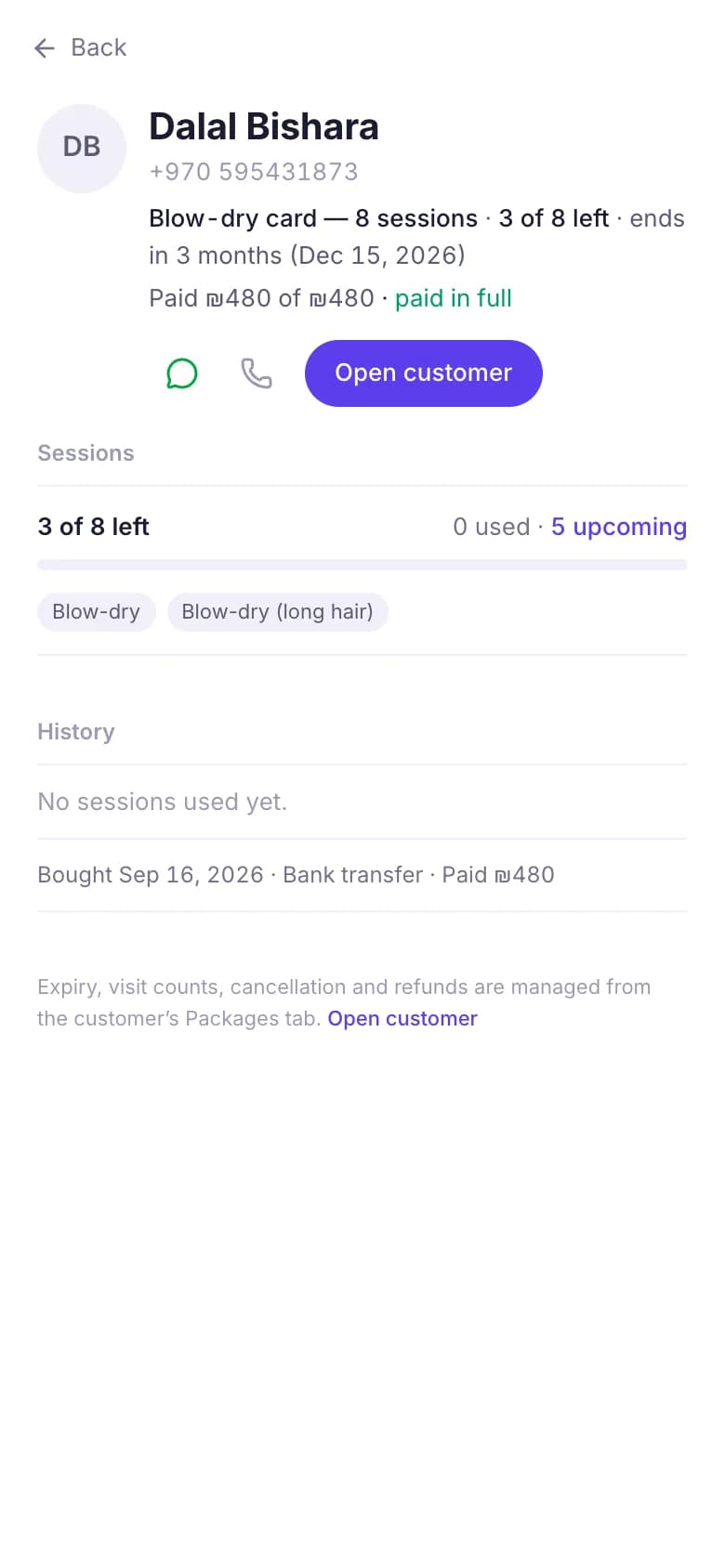
Session cards: sessions used, when each card expires, and what is still owed.
Demo data
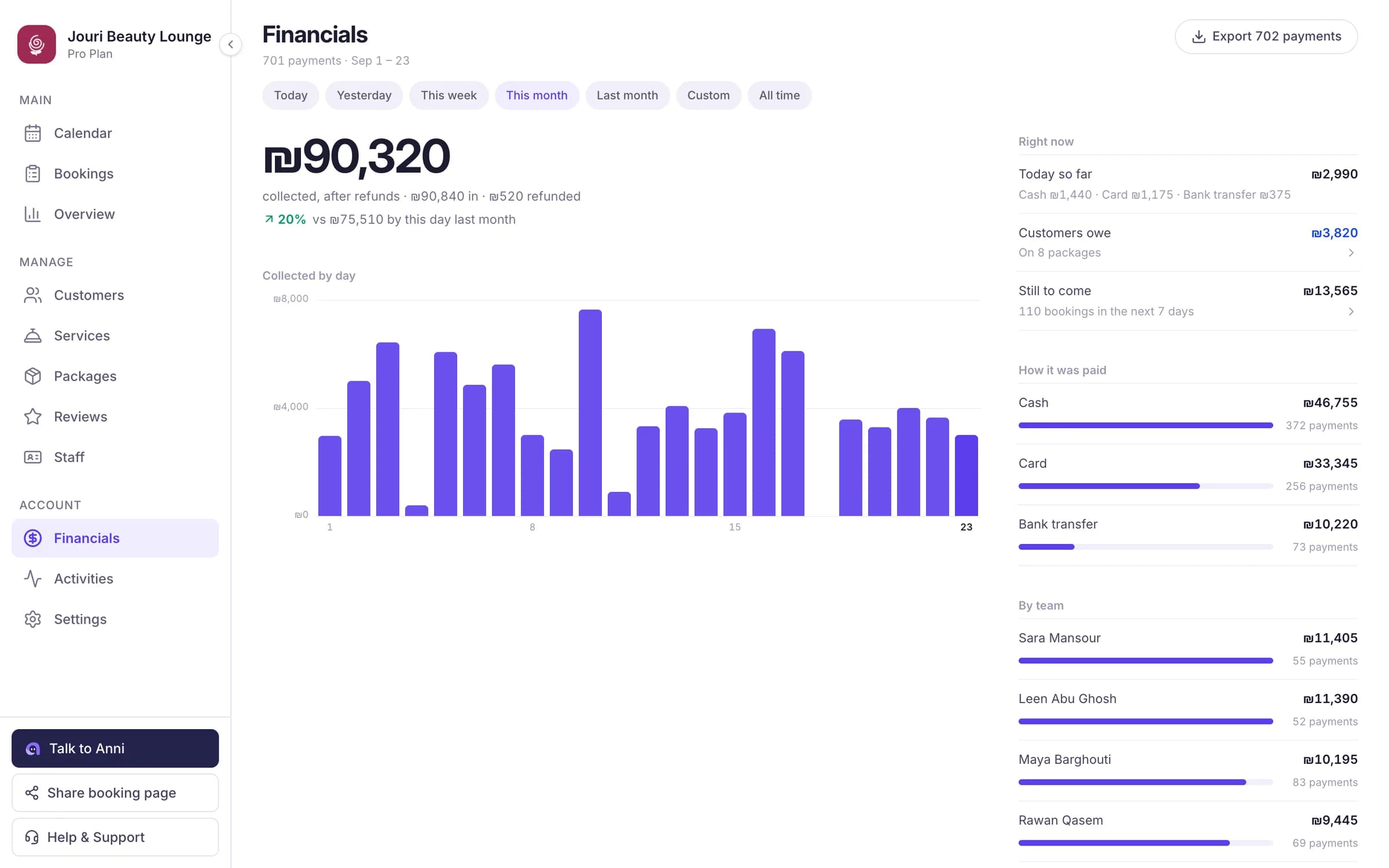
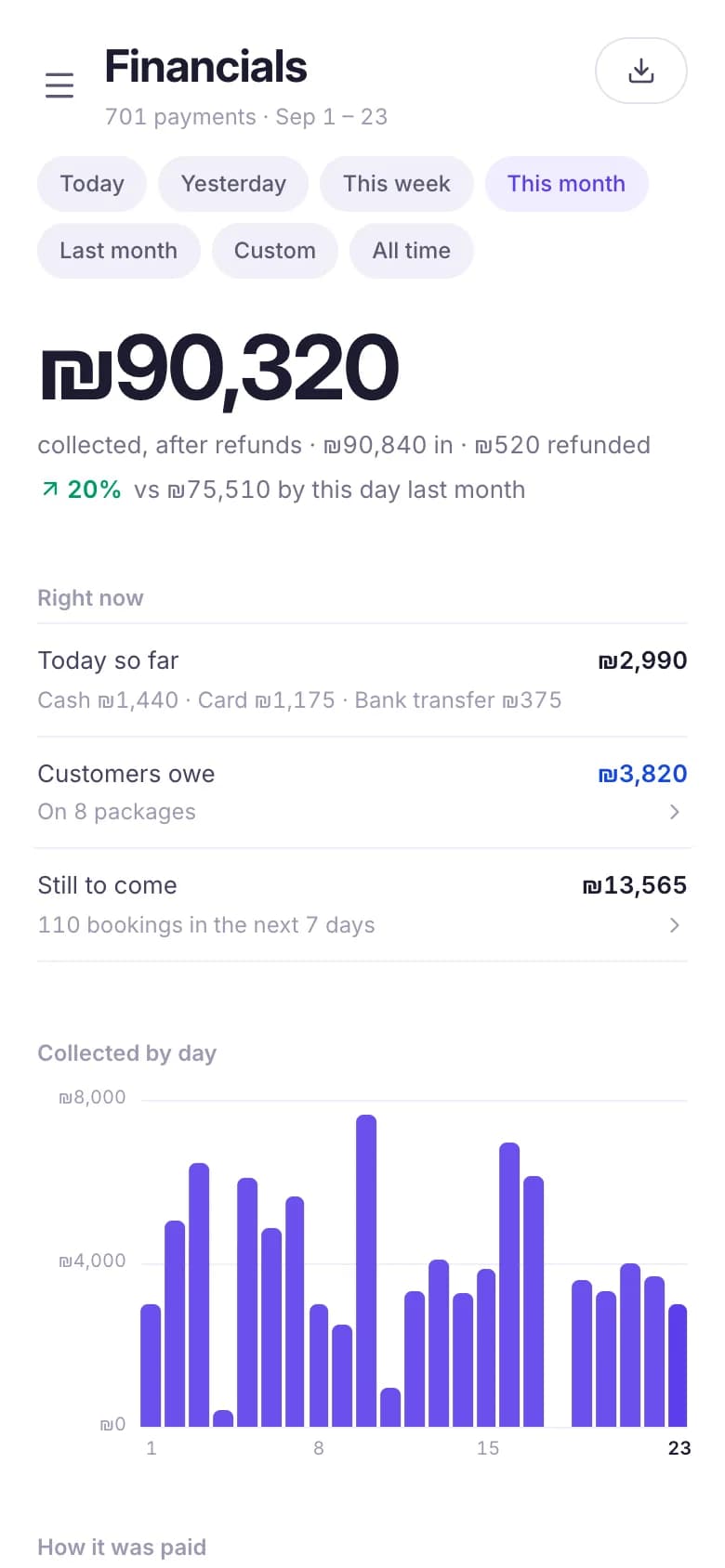
Income by day and by payment method, compared with the period before, with a CSV export.
Demo data
Anni is the assistant inside your booking system. She takes bookings, confirms them, reminds your customers and opens a cancelled time again, day and night. And in your dashboard, you can type or talk to her.
What Anni does for youYour page shows the real free times, so customers book themselves, even at midnight.
The customer gets the details right away: on WhatsApp on the paid plans, by email on the free plan.
In your dashboard, ask who’s coming tomorrow, or tell her to book, move or cancel. She shows each change first and makes it after your yes.
A reminder the day before and another an hour before, so fewer people forget.
Sign up, list your services with their prices and durations, and set the days and hours you work.
Your page lives at annibook.com/your-name. Put it in your Instagram bio, send it on WhatsApp, or print its QR code.
Approve each request with a tap, or let them confirm on their own. Your customer gets a confirmation and reminders (on WhatsApp on the paid plans).
Start free, and choose a plan when you grow.
Prices in US dollars.
For when you work on your own
₪0
No card needed
1
team member
15
online bookings
No WhatsApp reminders: customers see their booking on the page, and get an email if they typed one
For a small salon, studio or clinic
$39a month
or $390 a year
Save $78 when you pay yearly
$390a year
12 × $39 = $468
You save $78
Up to 3
team members
Unlimited
online bookings
About 300
bookings with WhatsApp (a confirmation and two reminders each)
For a growing team
$65a month
or $650 a year
Save $130 when you pay yearly
$650a year
12 × $65 = $780
You save $130
Up to 8
team members
Unlimited
online bookings
About 650
bookings with WhatsApp (a confirmation and two reminders each)
For centres and clinics with a big team
$129a month
or $1,290 a year
Save $258 when you pay yearly
$1,290a year
12 × $129 = $1,548
You save $258
Up to 15
team members
Unlimited
online bookings
About 1,300
bookings with WhatsApp (a confirmation and two reminders each)
Anni is built by Portous, a software company from Palestine, for businesses wherever they are. We answer WhatsApp ourselves, in Arabic or English.
Talk to a person
We don’t sell them to anyone, and your customers only ever get messages about their bookings.
A provider sees their own bookings; money and settings stay with the owner.
Passwords are never stored as plain text, customer sign-in codes work once and expire, and every page is served over HTTPS.
Export your customers and your payments as CSV whenever you want.
Anni (آني) is an online appointment booking system for salons, barbers, clinics, trainers and every business that works by appointment. Each business gets a booking page on annibook.com, a calendar for its team, a customer list, packages and automatic reminders. It works in Arabic and English, in any browser, and each business sets its own currency and time zone.
Yes, there is a free plan: one person taking bookings, and up to 15 online bookings a month. After that your page stops taking online bookings until the month ends and customers are asked to contact you; bookings you add yourself keep working. If you and an employee take bookings at the same time, you need one of the paid plans, which add more people and WhatsApp reminders. You can try the Team Plan free for 30 days, with no card.
No. Customers book from your page in their phone’s browser. To see or cancel their bookings, they sign in with a code sent to them on WhatsApp, with no password.
Yes, on the paid plans: a confirmation when the booking is made, and reminders a day and an hour before. Each paid plan includes messages for a set number of bookings a month, and you can add more. On the free plan, confirmations and reminders go by email.
Yes. Each business sets its own currency and time zone, and chooses which countries’ phone numbers it accepts. Your booking page shows your prices in your currency, and every time in your time zone.
You, and your team as far as you allow; a provider can be limited to their own bookings. Anni doesn’t sell your customers’ data and uses it only to run the service, such as sending booking messages through the providers listed in the privacy policy.
Yes. Turn off renewal whenever you want; you keep your plan until the end of the period you paid for, then move to the free plan with all your data.
Another question? Message us on WhatsApp and a person will answer.
All questionsSet up your page today, on the free plan. No card, no app.